For the past year I tried to keep up with the IDE wars. Cursor. Copilot. Windsurf. Every month a new VS Code fork showed up promising to change how I write code.
I gave most of them a real try. Some of them are genuinely good. None of them stuck.
What stuck, weirdly, is the opposite direction: Claude Code in a tmux pane next to Neovim, on a terminal that hasn't fundamentally changed how I use it in years.
Here's why this combination won, what it does well, and where it falls short.
When I sit down to work, I open a single tmux session per project. Usually two main panes, sometimes three.
Left pane: Neovim with the file I'm editing. Right pane: Claude Code, running as a conversational agent against the whole project directory. When the project is running locally, a third pane underneath tails server logs and test output.
That's it. No IDE. No sidebar. No autocomplete popup blocking my view. The AI lives in the next window over, not on top of my code.
When I want to ask something (refactor this function, find every place that calls X, write tests for this module), I tab over, ask, watch Claude work, and come back to Neovim when I want to drive again.
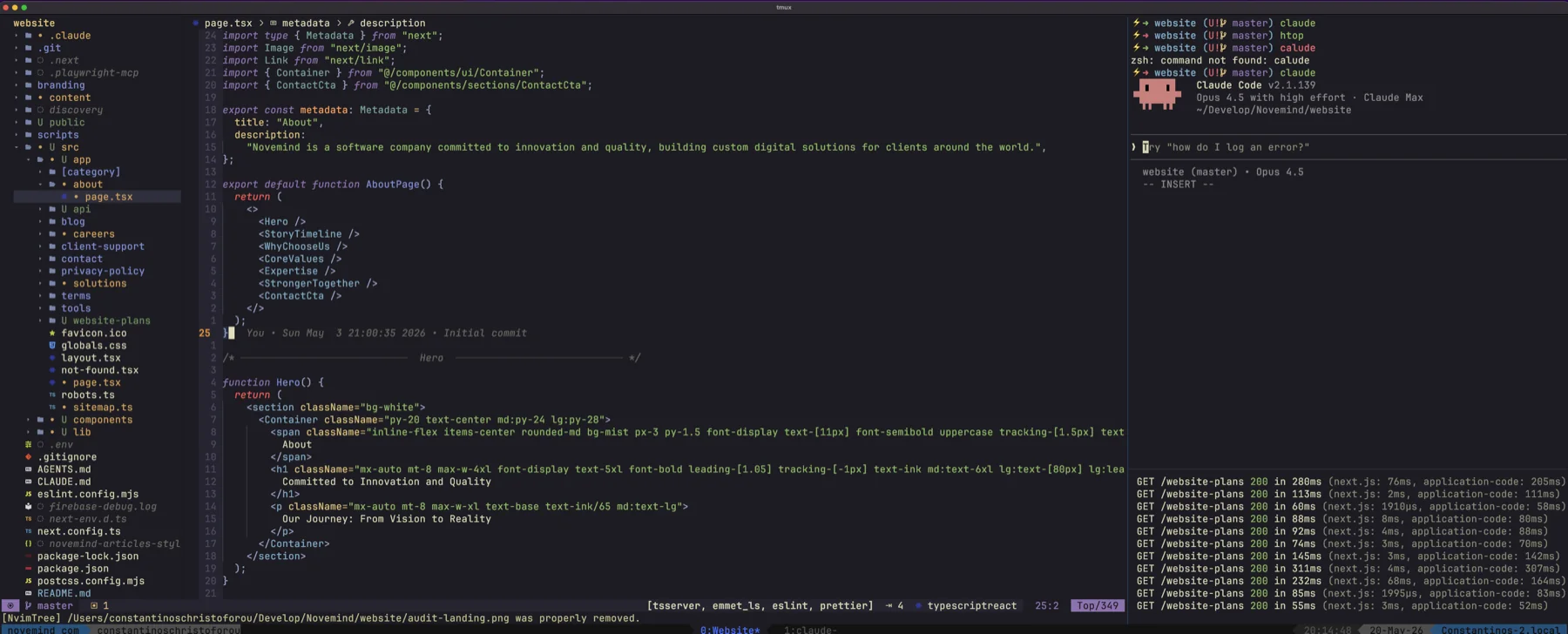
A typical session: NvimTree and the file I'm editing on the left, Claude Code on the upper right, dev server logs below.
I'm not allergic to GUIs. I started in Eclipse, moved to NetBeans, spent years in the JetBrains family, eventually settled in VS Code, and then finally met Neovim with tmux. The reasons the IDE-embedded AI tools didn't stick weren't religious. They were practical.
A few honest observations:
Mostly, though, I just kept finding myself in a terminal anyway. Reading logs. Running tests. Grepping. Editing config. At some point I stopped pretending I lived in the IDE.
Because muscle memory compounds.
I've been driving Neovim long enough that my hands move faster than my conscious thought. The cost of switching to anything else, no matter how shiny, is paying that compound interest back to zero.
That's not an argument for Neovim being objectively better. It's an argument for sticking with what your hands already know. The editor is where you spend most of your day, and the cost of switching is paid in every keystroke.
If you're early in your career and the choice is open, modern IDEs with AI built in are probably the right starting point. If you've already spent years building keyboard-driven habits, throwing them away for a marginally nicer chat window is a bad trade.
The thing that makes this setup work isn't the editor or the AI. It's tmux.
With a few keystrokes I can:
The mental model is simple. tmux is my window manager. Neovim is my editor. Claude Code is my pair. Each tool does one thing well, and none of them try to be the others.
It's the inverse of the IDE philosophy, which bundles everything into one app and forces you to use its version of every component.
I'd be lying if I said it was perfect.
The honest answer to "which AI coding tool is best" is: the one that disappears into your existing workflow.
For some people that's Cursor, because they already live in an IDE and want the AI to feel like part of it. For me it's Claude Code, because I already live in the terminal and want the AI to feel like a tab away.
The tooling industry would like to convince you that the choice of AI tool is the most important decision you're making. It isn't. The most important decision is whether your tools fit how your brain already works. The AI part is the last 10%.
If you've been wondering whether you have to migrate to a new IDE to keep up, you don't. The agent can come to you.